
Download Fathom – Discover New Music Instantly
Overview
Fathom is a sleek web‑based music discovery tool that puts fresh, relevant artists right in front of you. Unlike traditional streaming services that focus on replaying your known favorites, Fathom’s core mission is to surface brand‑new music that matches your personal taste profile. The app pulls audio streams and high‑resolution album artwork from the combined libraries of Last.fm and the now‑defunct Rdio service, delivering an immersive visual and auditory experience directly in your browser.
Even if you don’t own a paid Rdio subscription, Fathom still offers short 30‑second samples of each track, allowing you to gauge whether an unfamiliar artist resonates with you. The interface is intentionally minimalistic: a large, blank canvas, a single search box, and a dynamic grid of album covers that evolve as you explore. This design philosophy keeps the focus on discovery rather than playlist management, making Fathom a perfect companion for music enthusiasts who love to wander off the beaten path.
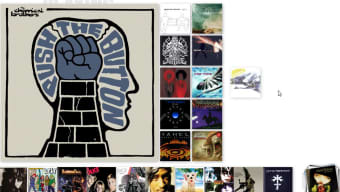
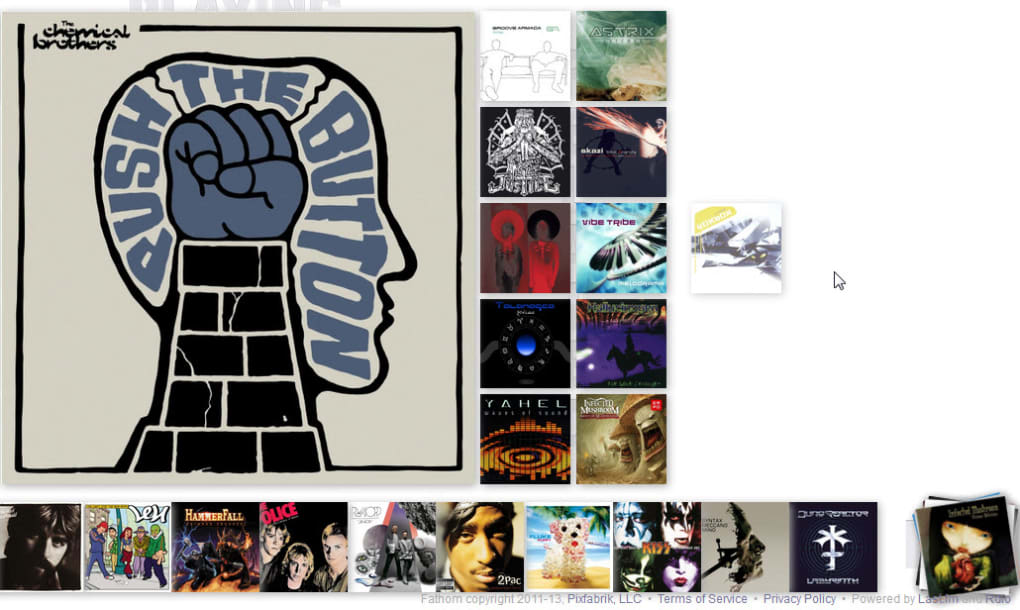
The application’s workflow is simple yet powerful. You begin by typing an artist’s name into the search field. Fathom instantly fetches the artist’s most popular album from Rdio and places it at the center of the screen.
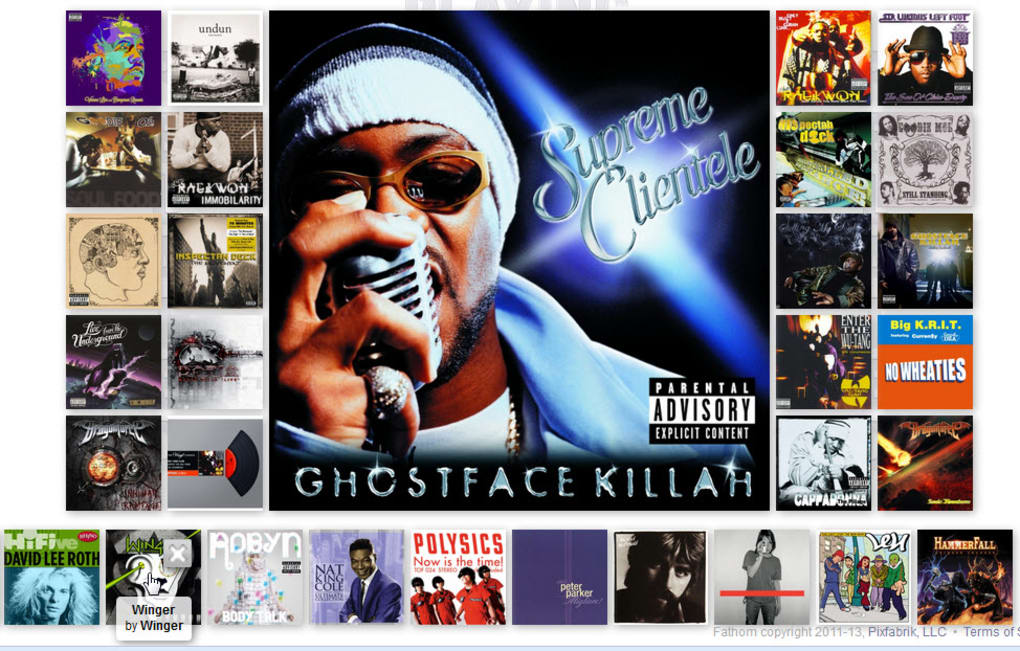
From there, the engine analyses the musical attributes of that album—genre, tempo, instrumentation, and even lyrical themes—to locate up to twenty similar albums. Selecting any of those related covers shifts it to the focal point and triggers a fresh round of recommendations, creating an endless chain of discovery. Because the service leans heavily on community‑driven metadata from Last.fm, the recommendations often feel surprisingly curated, reflecting both mainstream trends and niche sub‑genres.
While the platform is free to use for sampling, full‑track playback requires a valid Rdio account—a legacy requirement that remains the only barrier to a completely unrestricted experience. Nevertheless, the free version still offers a compelling glimpse into a world of music you may never have found otherwise. Whether you’re a casual listener looking for the next soundtrack for a road trip or a serious audiophile hunting for hidden gems, Fathom delivers an intuitive, secure, and visually engaging environment that encourages you to keep pressing “play.”
Key Features of Fathom
- Artist‑Centric Search: Search only by artist name, allowing the engine to present the most representative album as a discovery anchor.
- Dynamic Recommendation Grid: Up to twenty related albums appear around the central selection, updating in real‑time as you explore.
- Integrated Album Art: High‑quality cover images are pulled from Last.fm, creating a visually rich browsing experience.
- Sample Playback for Free Users: 30‑second snippets let you preview tracks without a Rdio subscription.
- Full‑Track Streaming for Rdio Subscribers: Seamless playback of entire albums for paid users.
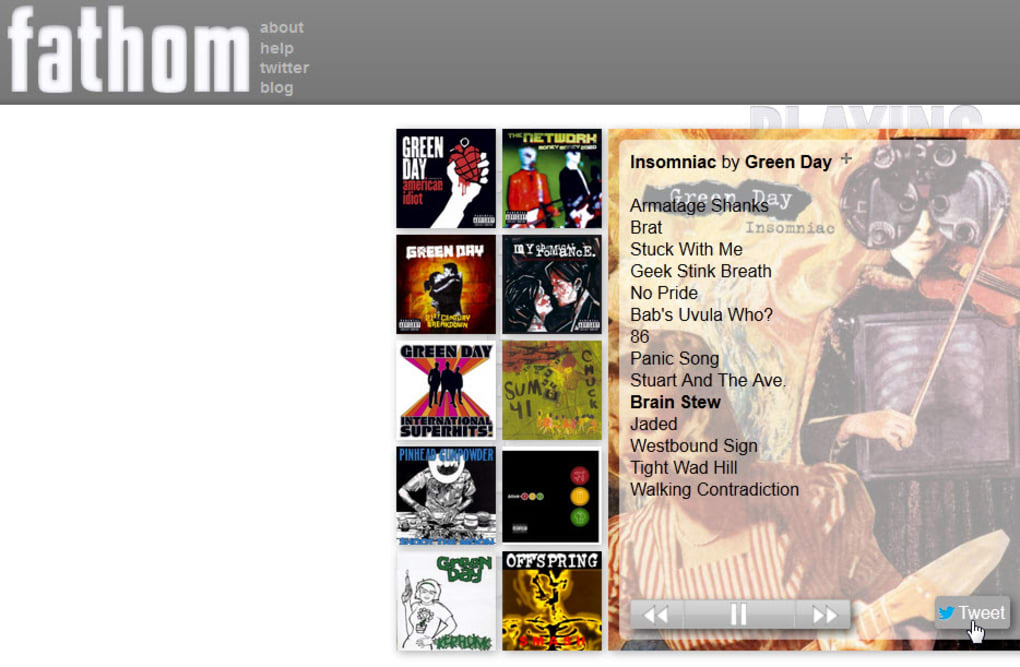
- Social Sharing Buttons: Instantly tweet or post a discovered album to your favorite networks.
- Queue & History Management: Keep track of albums you’ve listened to and queue upcoming selections.
- Responsive Hover Controls: Hovering over any cover reveals quick actions such as play, pause, or search for more related artists.
- Minimalist Interface: A clean white‑and‑grey gradient design that puts the music front and center.
- Cross‑Platform Web Access: Runs on any modern browser, making it available on Windows, macOS, Linux, Android, and iOS devices.
Why These Features Matter
Fathom’s emphasis on artist‑based discovery distinguishes it from playlist‑driven platforms. By presenting the most popular album as a starting point, the app gives you a solid reference for the artist’s signature sound before branching out into similar acts. The dynamic recommendation grid works like a visual mind map, helping you see connections between genres at a glance. This is especially valuable for users who are visual learners or who simply enjoy the aesthetic of browsing album art.
The integration of social sharing tools encourages community interaction. When you find a hidden gem, a single click can broadcast it to your followers, potentially sparking conversations and expanding your musical network. Meanwhile, the queue and history panels ensure you never lose track of a promising album you’ve just sampled. Even though the design is intentionally sparse, these functional layers add depth without overwhelming the user.
Installation, Compatibility, and How to Use Fathom
Because Fathom is a web application, there is no traditional installation process. Simply open your preferred browser, navigate to the official Fathom URL, and you’re ready to start exploring. The app is optimized for the latest versions of Chrome, Firefox, Safari, and Edge, ensuring smooth performance on both desktop and mobile platforms.
Step‑by‑Step Guide
- Open the Site: Visit fathom-music.com on any device with internet access.
- Create or Sign In to a Rdio Account (Optional): If you want full‑track playback, sign in with your Rdio credentials. Free users can skip this step and still enjoy sample clips.
- Enter an Artist Name: Type the name of a favorite musician or band into the search box and press “Enter.”
- Explore the Central Album: The app loads the artist’s most popular album in the middle of the screen. Click “Play” to hear a sample or the full album if you’re logged in.
- Browse Related Albums: A grid of up to twenty related covers appears around the central album. Hover over any cover to reveal quick actions—play, queue, or find more similar artists.
- Navigate Deeper: Click a related album to make it the new focal point. The recommendation engine recalculates and presents a fresh set of related albums, allowing you to dive deeper into musical sub‑genres.
- Use Queue and History: As you explore, add albums to your queue for later listening, and view your history to revisit past discoveries.
- Share Your Finds: Use the built‑in Twitter or Facebook icons to broadcast a newly discovered album to your social circles.
Operating System Compatibility (Windows, macOS, Linux, Android, iOS)
Fathom runs entirely in the browser, so it is compatible with any operating system that supports a modern web browser. Whether you’re on a Windows 10 PC, a macOS Ventura laptop, a Linux distribution, or a mobile device running Android 12 or iOS 17, the experience remains consistent. The responsive layout automatically adapts to different screen sizes, offering a full‑screen view on desktops and a touch‑optimized interface on tablets and smartphones.
Performance Tips
- Ensure you have a stable broadband connection; streaming full tracks consumes more bandwidth than short samples.
- Disable any heavy browser extensions that might interfere with audio playback (e.g., ad blockers that block media requests).
- For the best visual experience, use a display with a resolution of at least 1920×1080 pixels.
Because the app does not require any downloads or installations, you can start discovering music within seconds of opening the site, making it a fast, secure, and hassle‑free solution for music lovers worldwide.
Pros & Cons, Frequently Asked Questions, and Final Verdict
Overall Rating: 4.2/5
Pros
- Intuitive, artist‑first search that encourages genuine discovery.
- High‑quality album artwork sourced from Last.fm creates a visually rich experience.
- Free users can still sample a wide range of tracks without a subscription.
- Responsive design works flawlessly on desktop and mobile browsers.
- Social sharing integration makes it easy to spread new finds.
Cons
- Full‑track playback requires a legacy Rdio account, which may be a barrier for some users.
- No built‑in volume control; playback defaults to a relatively loud level.
- Albums must exist on both Last.fm and Rdio to play, leading to occasional missing tracks.
- Minimalist UI, while clean, can feel too sparse for users who prefer more detailed metadata.
- Pop‑up tutorials reappear on each fresh visit, which some may find repetitive.
Frequently Asked Questions
Do I need a Rdio account to use Fathom?
A Rdio account is only required if you want to listen to full‑length tracks. Free users can still explore the platform and listen to 30‑second samples of each song.
Is Fathom compatible with mobile devices?
Yes. Because Fathom runs in a web browser, it works on Android and iOS devices as long as you use a modern browser such as Chrome, Safari, or Firefox.
Can I adjust the playback volume within Fathom?
The app does not provide an internal volume slider. You’ll need to use your device’s or browser’s volume controls to adjust the sound level.
What happens if an album is on Last.fm but not on Rdio?
The album art will appear, but you won’t be able to play any tracks. Fathom requires the album to be present in both databases to stream music.
Is my data secure while using Fathom?
Yes. All communication between your browser and the Fathom servers is encrypted via HTTPS, and no personal music data is stored on the client side beyond temporary session information.
Final Verdict & Call to Action
Fathom excels at what it sets out to do: introduce listeners to new artists and albums that align with their existing musical preferences. Its clean, artist‑centric interface removes the noise of playlists and recommendations that feel generic, letting you follow a visual trail of related music with just a few clicks. While the reliance on a now‑defunct Rdio service for full‑track streaming is a notable drawback, the free sampling option still offers ample value for casual explorers. The occasional quirks—such as the lack of volume control and the dual‑database requirement—are minor inconveniences compared to the sheer joy of stumbling upon a hidden gem you might never have discovered otherwise.
If you’re eager to broaden your sonic horizons without committing to a heavyweight streaming subscription, download Fathom today and start your musical adventure. Simply visit the site, type in a favorite artist, and let the app guide you down an endless tunnel of related sounds. Happy listening!



.png)



